Update API Key
Learn how to update your SimpleCold Email Validation API key settings, including modifying remarks and expiry dates.
Step-by-Step Guide
Step 1: Log in to the Dashboard
Visit simplecold.com/dashboard and log in with your account credentials.
Step 2: Navigate to the API Keys Section
Once logged in, go to the API Keys section by visiting simplecold.com/dashboard/api-keys.
Step 3: Select the API Key to Update
Locate the specific API key you want to modify in the list of existing keys.
Step 4: Edit Key Details
Click the "Edit" or "Update" button next to the API key.
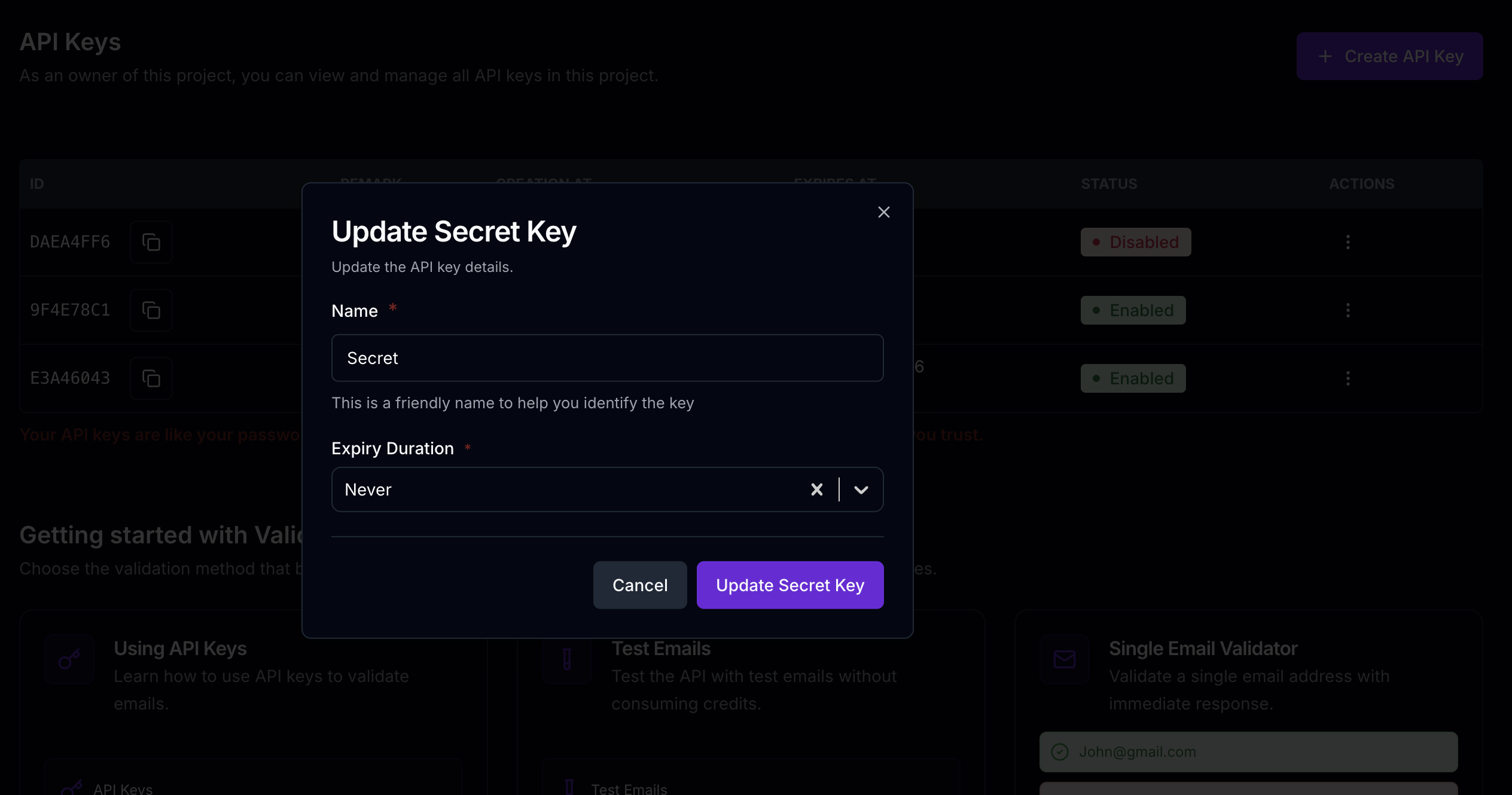
Step 5: Modify Remark
In the update form, you can:
- Change the existing remark to provide more context or clarity
- Add a new description if the previous one is no longer relevant
Step 6: Update Expiry (Optional)
You can update the expiration date for your API key or remove it if needed.
Step 7: Save Changes
Click the "Save" button to confirm your modifications.
Best Practices for API Key Management
- Purposeful Updates: Only modify keys when necessary
- Clear Remarks: Use descriptive and meaningful remarks